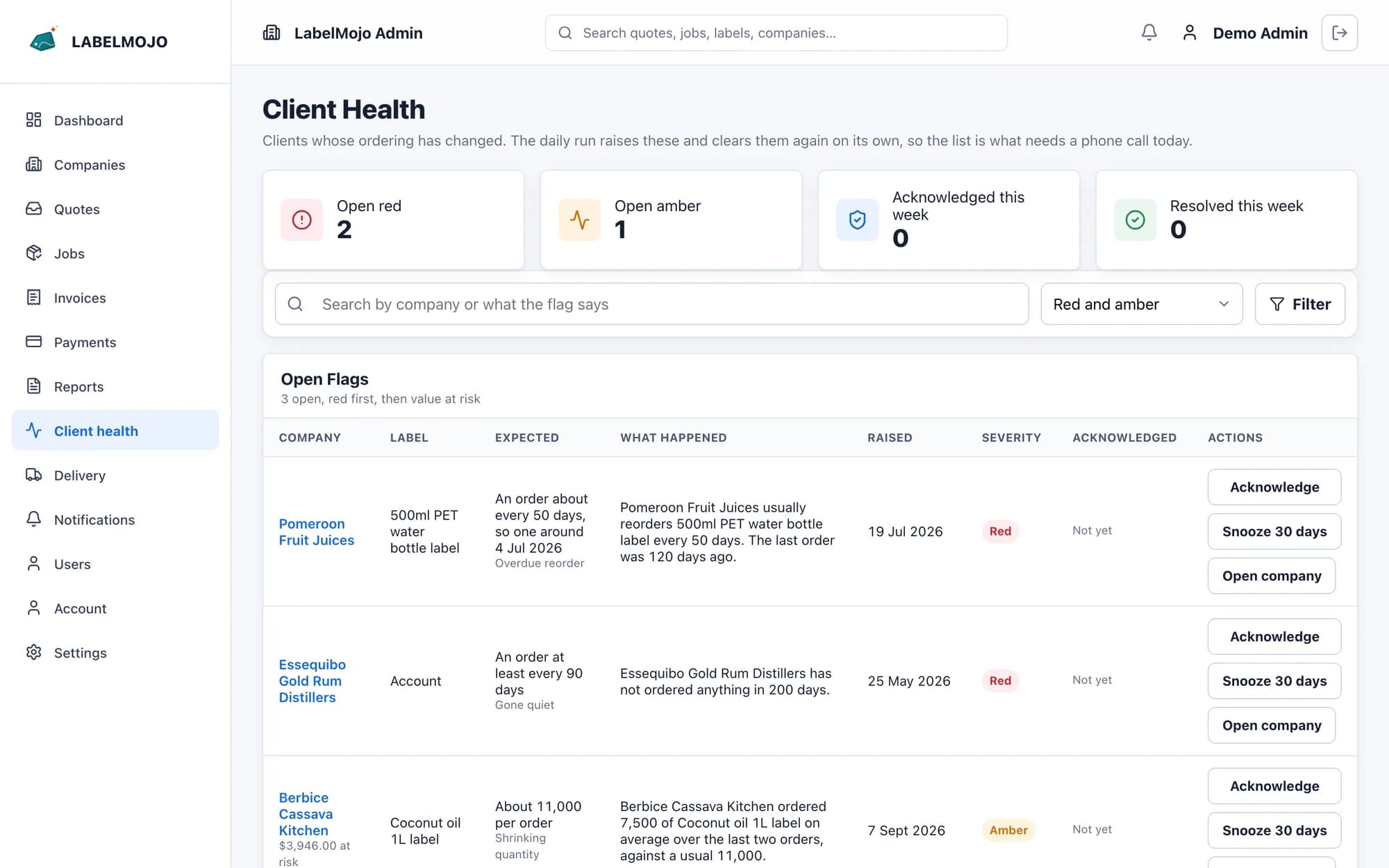
The five signals and their defaults
- Overdue reorder: a label has not been reordered within its usual interval, plus 25% of that interval or 7 days, whichever is longer.
- Shrinking quantity: the last two orders of a label average more than 30% below the earlier orders.
- Quote without an order: a sent quote is still unaccepted after 14 days.
- Spend trend: invoiced spend over the last 90 days is more than 25% below the 90 days before.
- Gone quiet: no order from the customer in 120 days.
Your admins can change each threshold in settings.
How each label is followed
LabelMojo groups a customer's orders for the same label, using reorder links first and the label's name, size, shape and material otherwise. A label shows as learning, and raises no flags, until it has enough orders for a signal.
Working a flag
Each flag shows the numbers behind it and a severity: amber, or red for a larger change. Admins acknowledge a flag with a note of what they did, which is added to the customer's timeline, or snooze it until a date. A seasonal customer can be excluded from every signal. A flag closes when its condition clears, for example when the reorder arrives.