Label printing software
Customer portal and back office for label printers
LabelMojo is software for label printing companies. Your customers request quotes, choose a quantity break, approve proofs and reorder in your branded portal, while your team runs the jobs, invoices and delivery records behind them.
01 / The workflow
Follow one job from quote to reorder
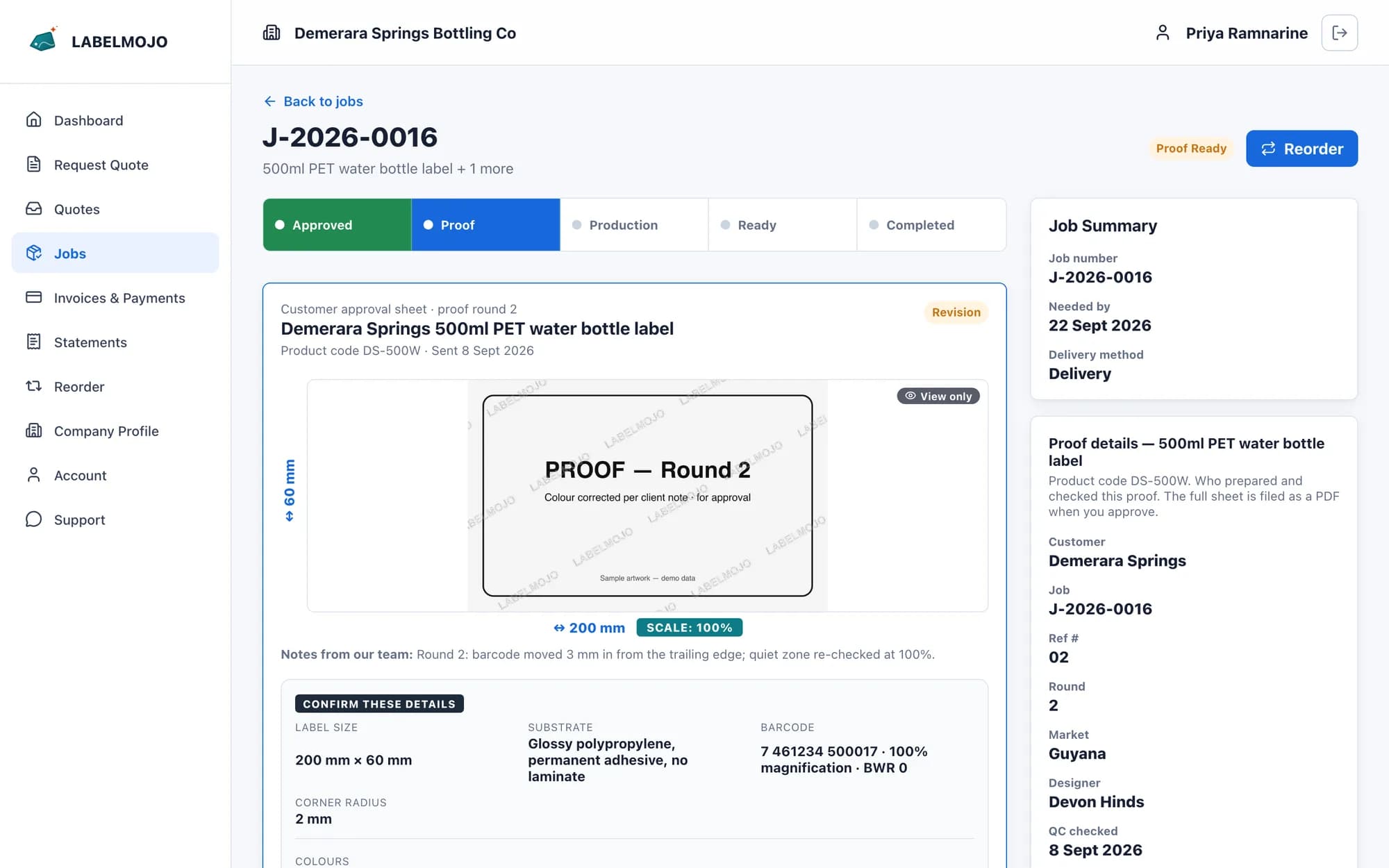
Follow one sample job in the demo portal: a 500 ml water bottle label for Demerara Springs, from quote to reorder, with the customer, sales and production working from the same record.
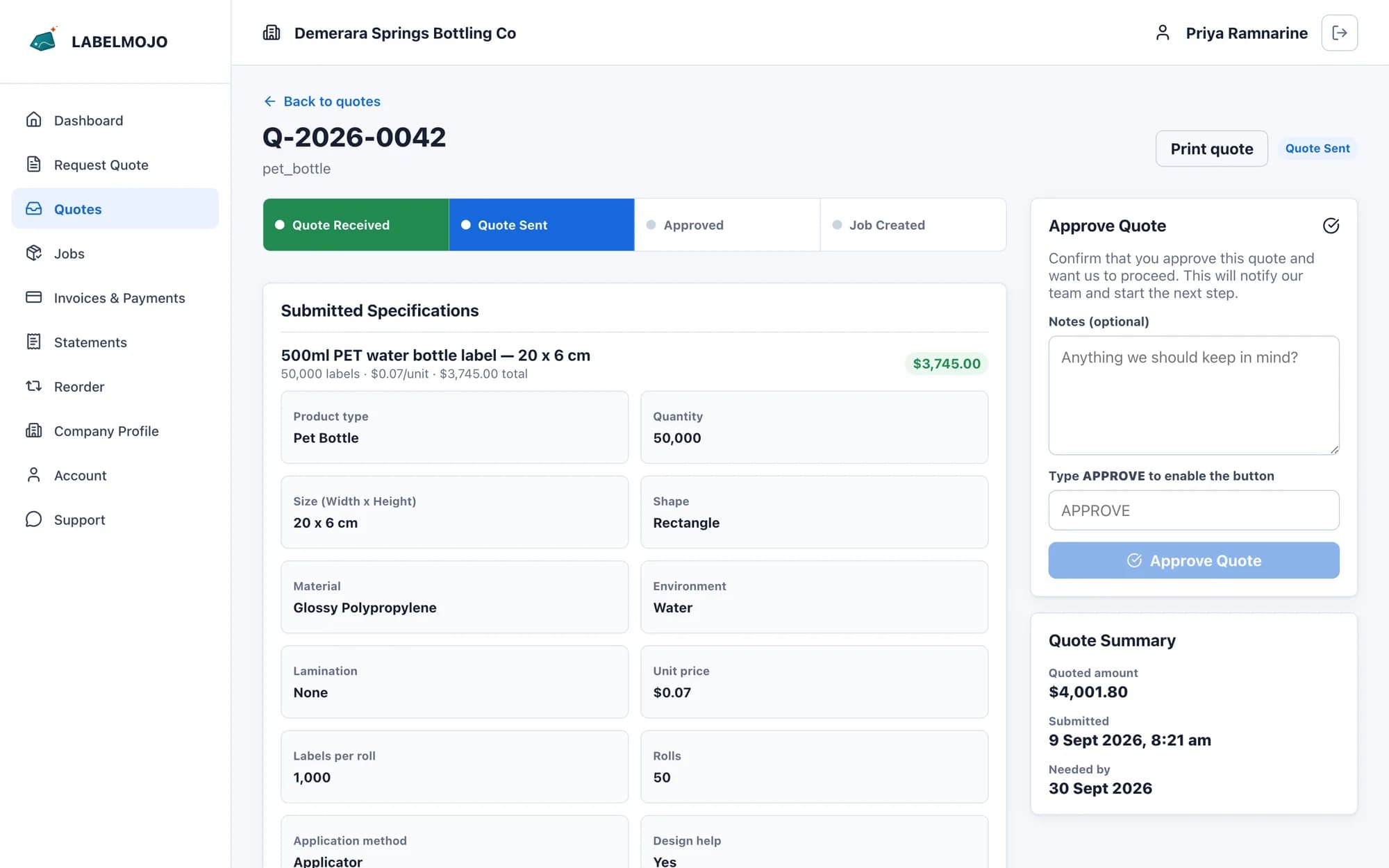
Customer quote
Quote sent- Quote
- Q-2026-0042
- Label
- 500 ml PET water bottle label
- Quantities
- 25,000 · 50,000 · 100,000
- Chosen
- 50,000 at US$0.07 · US$3,500 before tax
The customer sends the label size, material, roll specifications and artwork. Your team prices it at one quantity or at quantity breaks, and the customer chooses a quantity and accepts the quote in the portal.
Inside quote02 / Proof & approval
Proof approval on a customer approval sheet
Each label gets its own approval sheet: the proof at scale, the details to confirm, the colour list and an eight-item checklist the customer ticks before approving.
Proof rounds are numbered. The approval is stamped with name, time, browser and IP address and filed on the job as a PDF.
Inside the approval workflow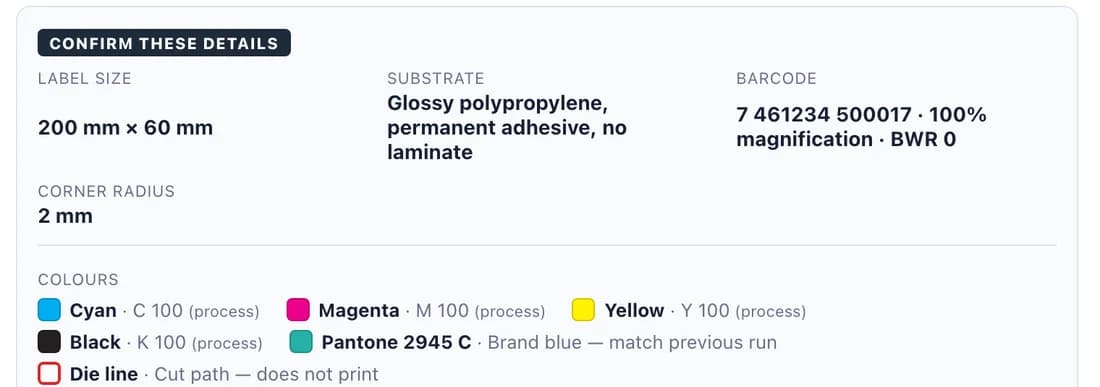
Sample approval sheet
Try this shortened checklist. The full approval sheet holds eight checks, the colour list and the roll copy position.
DEMERARA SPRINGS
500 ml PET water bottle label0 of 3 checks complete. Review each item to continue.
03 / Quoting
Quotes with quantity breaks
Customers send roll specifications and artwork with the request. Price the label at two to six quantities, and the customer sees the unit price and line total for each, with a Choose button on every row.
Inside quoting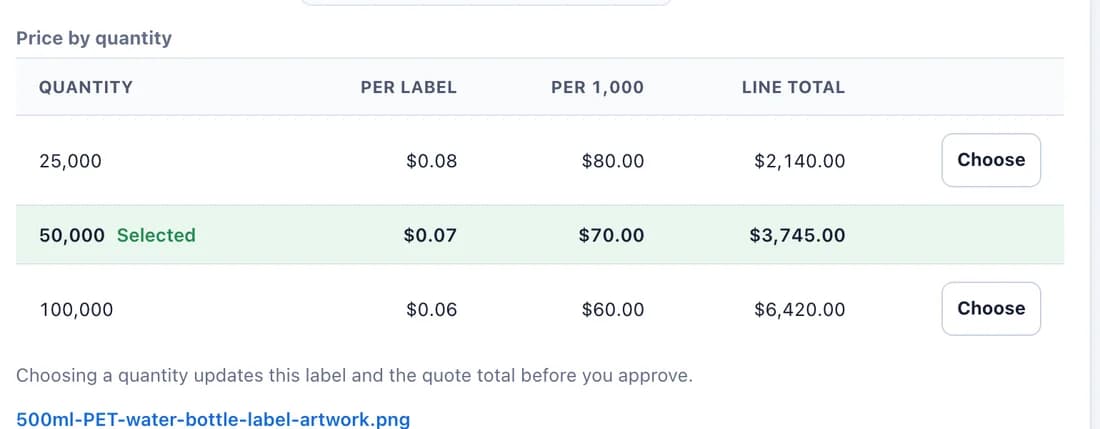
Price by quantity
Example prices.
04 / Portal and back office
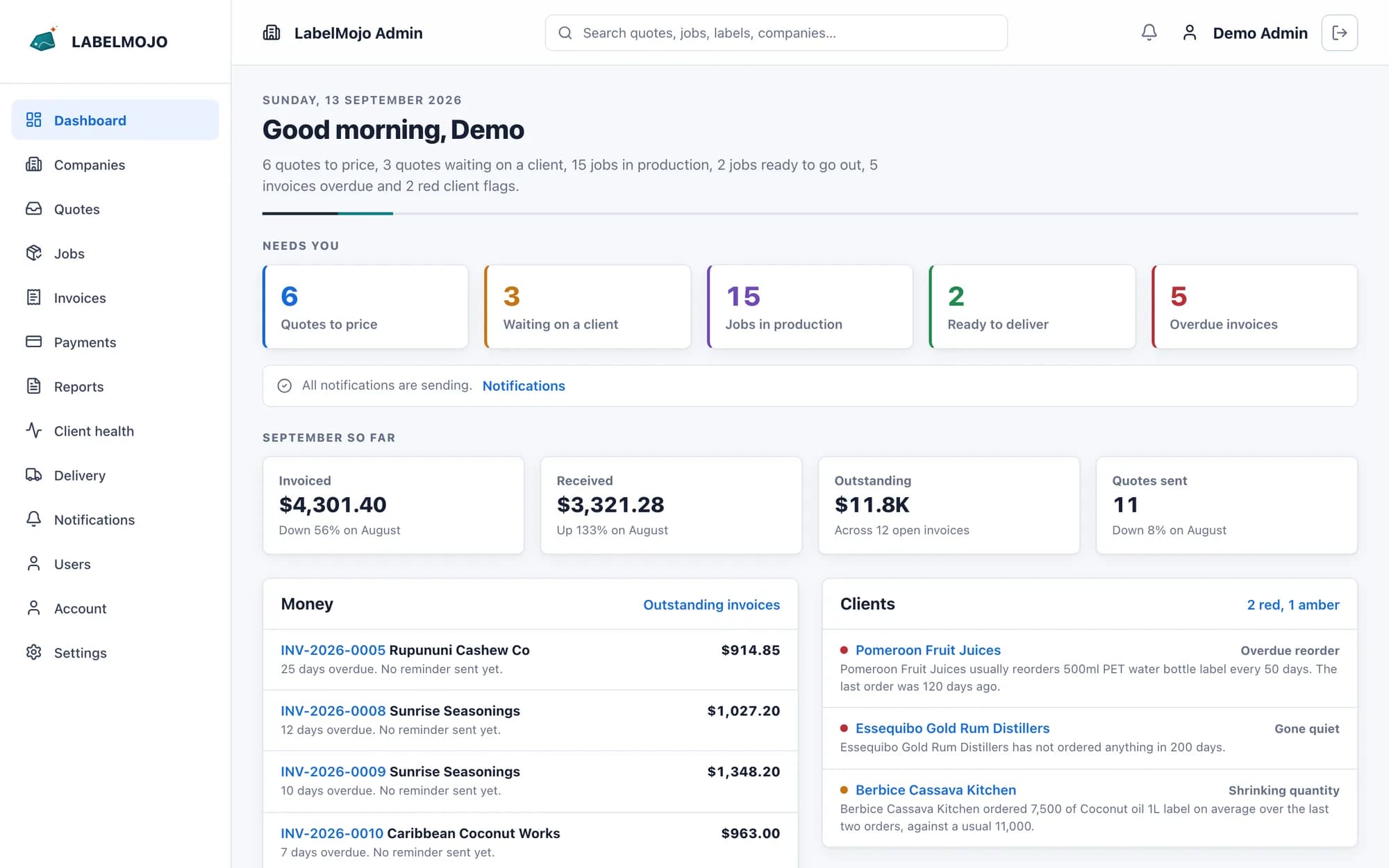
Customer portal, jobs, invoicing and client health
Staff search customers, labels, quotes, jobs, invoices and payments from one search box, and export reports to CSV, Excel or PDF.
Customer portal
Your customers request quotes, send artwork, approve proofs, follow job status and reorder, under your logo and colours.
02Job records
Specifications, files, internal stages and customer updates stay attached to the job.
03Invoices, payments and delivery records
Invoices built from job line items, payments with PDF receipts, customer statements, overdue reminders and signed deliveries.
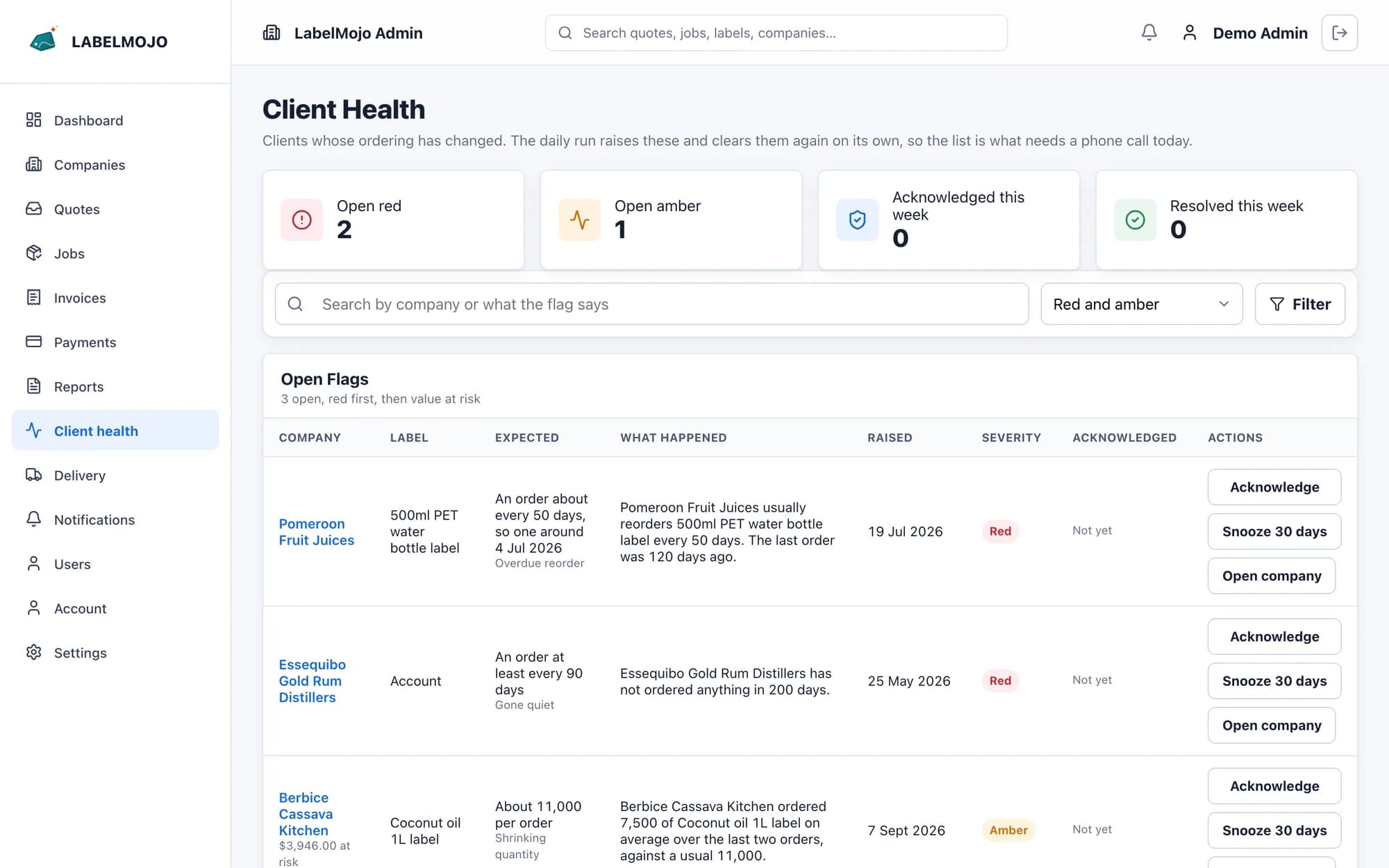
04Client health (Pro plan)
A daily check flags late reorders, falling quantities, unapproved quotes and quiet accounts, with the account history in front of you.
05 / From the first shop
“LabelMojo makes it much easier to manage our clients and keep track of their jobs and payments. We can see where each job stands and what is still outstanding without piecing it together from different messages and records. The automatic reminders help us follow up with clients without having to remember every message ourselves. It gives us a clearer picture of the business and makes the day-to-day work easier to manage.”
Setup
Your branding on your own deployment
Setup puts your logo, colours and domain on the portal, imports your customer records and trains your team. Each printer runs its own LabelMojo deployment, with its own database and file storage.
How setup worksBook a walkthrough
See LabelMojo with one of your own jobs
Bring a recent quote and proof to a 30-minute walkthrough. We follow that job through the demo portal, from quote request to proof approval, job and invoice.