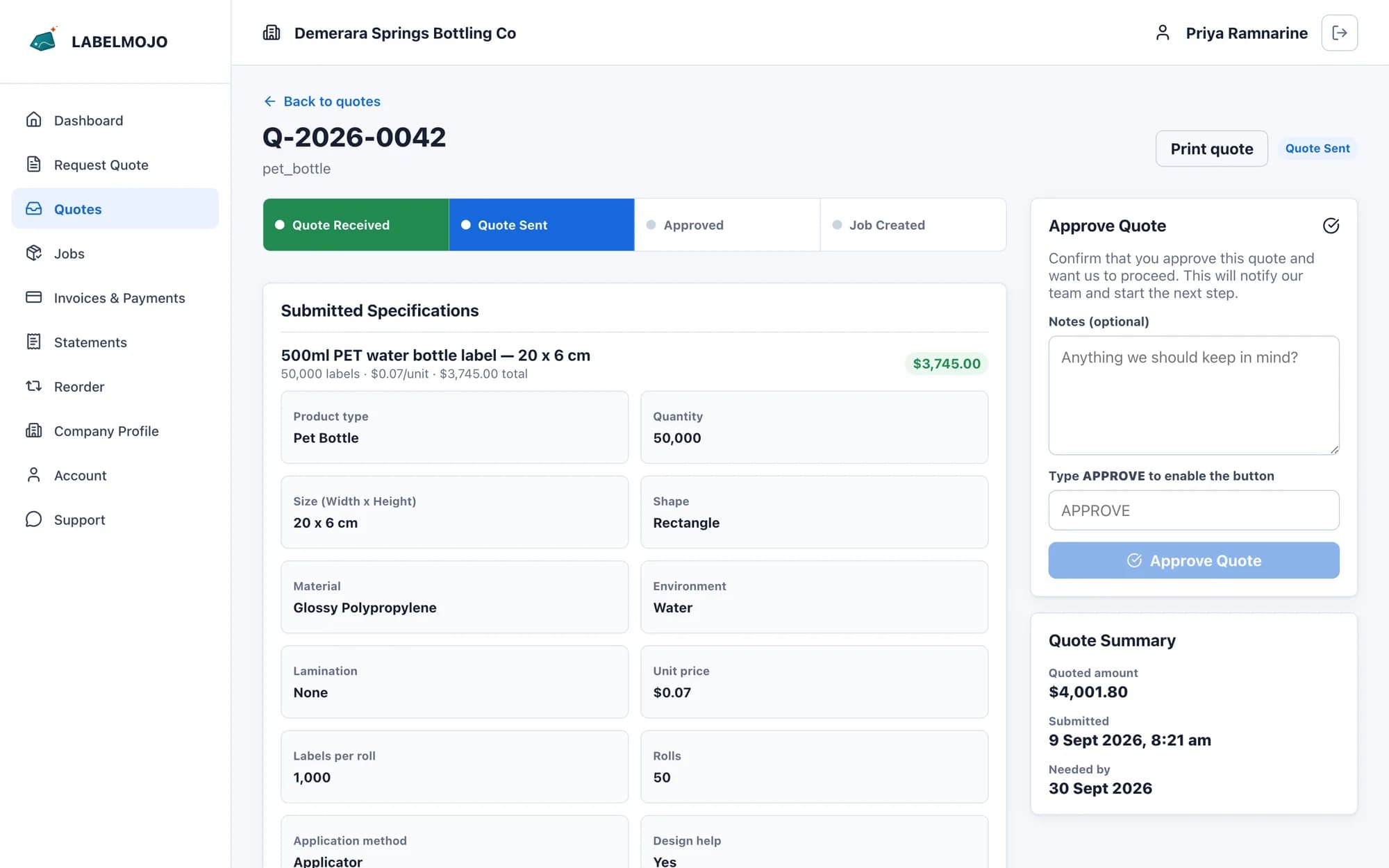
What goes on a quote request
Your customer fills in the request in the portal, or your staff create the quote on the customer's behalf after a call or an email.
- One line per label, so a range of three flavours is three lines on one quote.
- Size, shape, material, finish, application and artwork files on each line.
- Roll specifications on each line: core size, maximum roll diameter or labels per roll, copy position, wind direction, gap and bleed.
How your staff price it
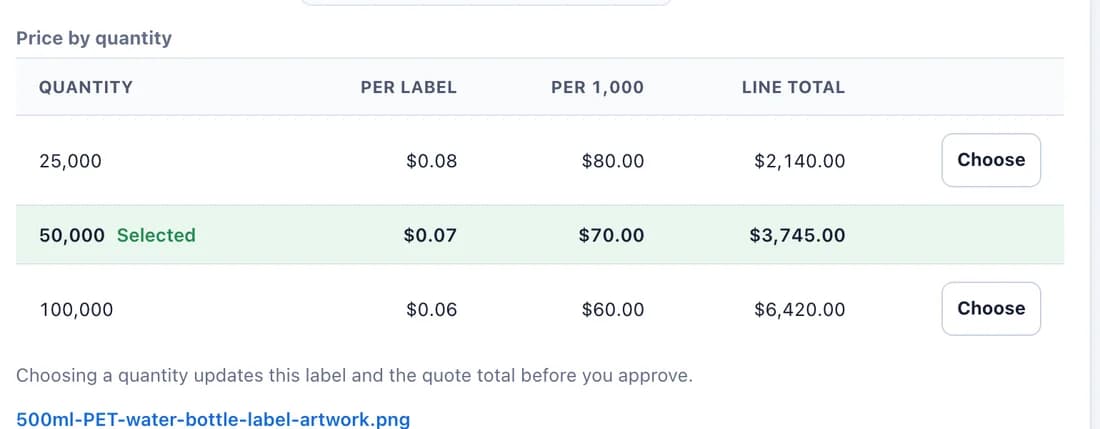
Staff enter the price for each line at one quantity or as two to six quantity breaks. The customer's quote shows each break with its unit price, price per 1,000 and line total, and the same table appears on the printed quotation.
What your customer decides
Your customer presses Choose on the quantity they want, and the line total and quote total update. They accept the quote in the portal, and the choice is recorded on the quote's timeline. Your staff then convert the accepted quote into a job with the same label lines, specifications and artwork.
Set up for your shop
Roll specifications and quantity breaks are switched on during setup. Portal quote acceptance can be switched off for any customer whose quotes your staff confirm by other means.